

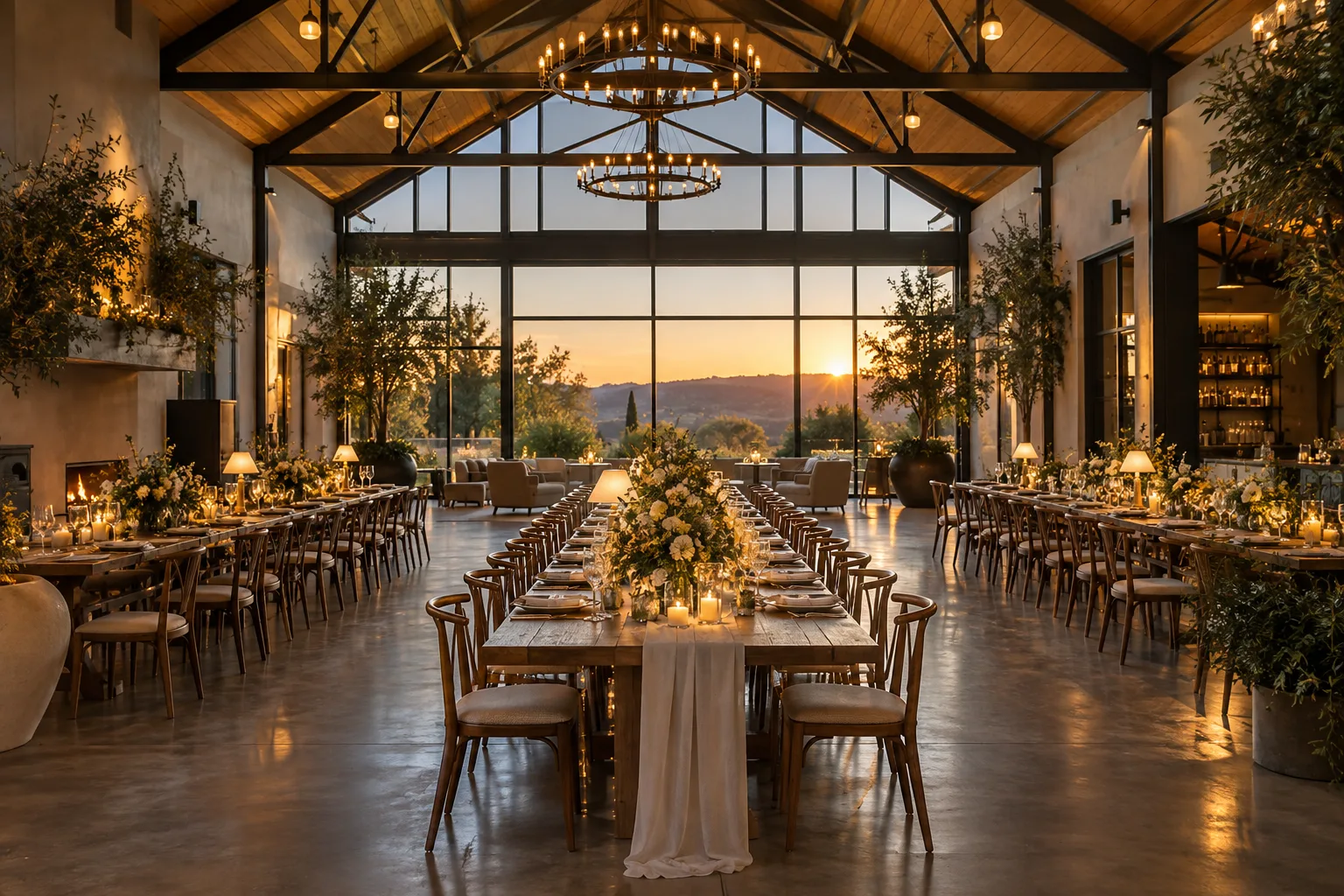


JUNIPER / CO.A slower morning. A better cup.
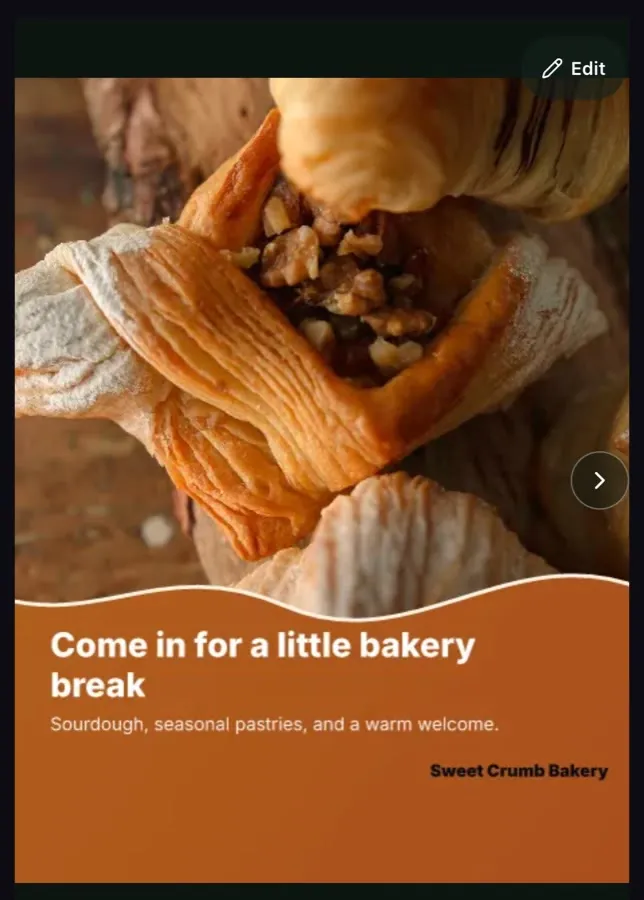
Feed1080 × 1080Add a photo from your day in the Ember app. It comes back as a finished social media post in your colors and your voice, sized for Instagram and Facebook. Look it over on your phone and tap approve. That’s most of the job.
14 days free. No credit card. Sign up here, then use the app.
Ember Social for iPhone and Android
One Ember reviewYour content moves everywhere.Feed, Story, and caption stay connected from the first idea to final approval.
Ember Social is a social media manager for small businesses, agencies and multi-location brands. It makes the posts for you from your own photos, your website and your brand, then waits for your approval. Once you approve, Ember schedules and publishes to the channels you connect.
Works with Instagram, Facebook, TikTok, YouTube, Bluesky, X, Pinterest and LinkedIn. Threads is coming soon.
Builds posts from your photos, your website and Google Drive.
Inside the Ember app
Flip through finished posts. Approve the ones you like and they land on the calendar.
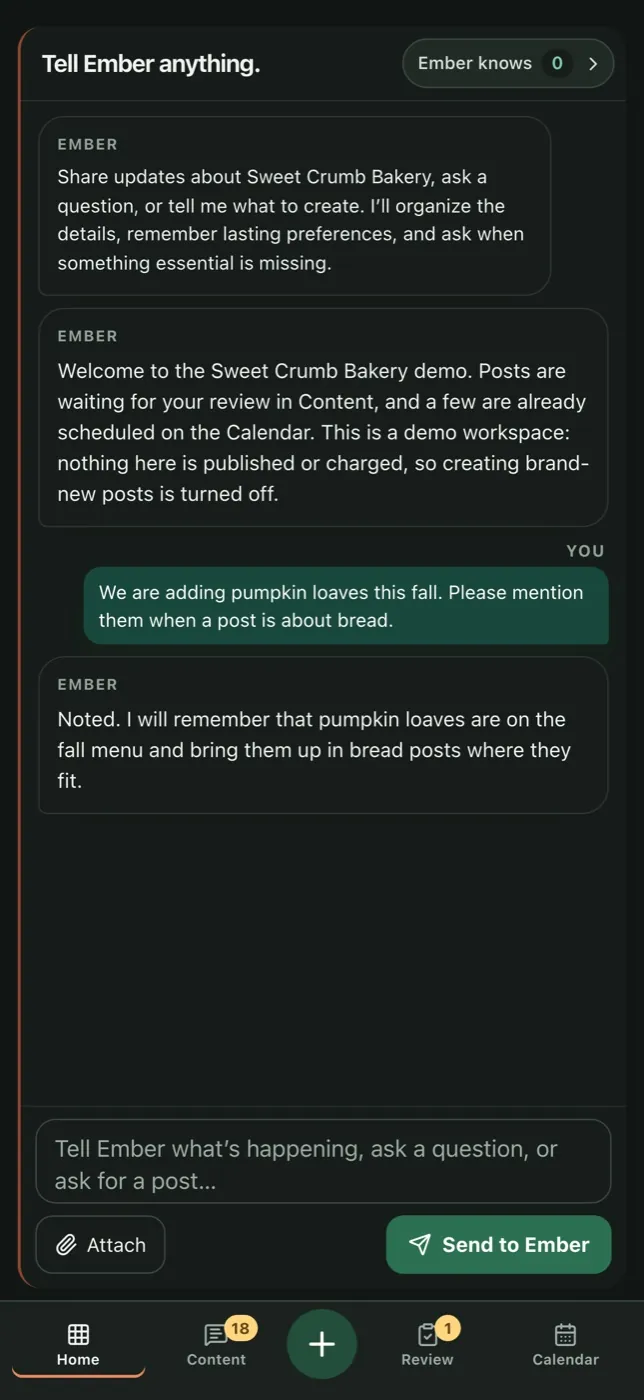
New menu item? Closed Monday? Tell Ember once and it remembers.
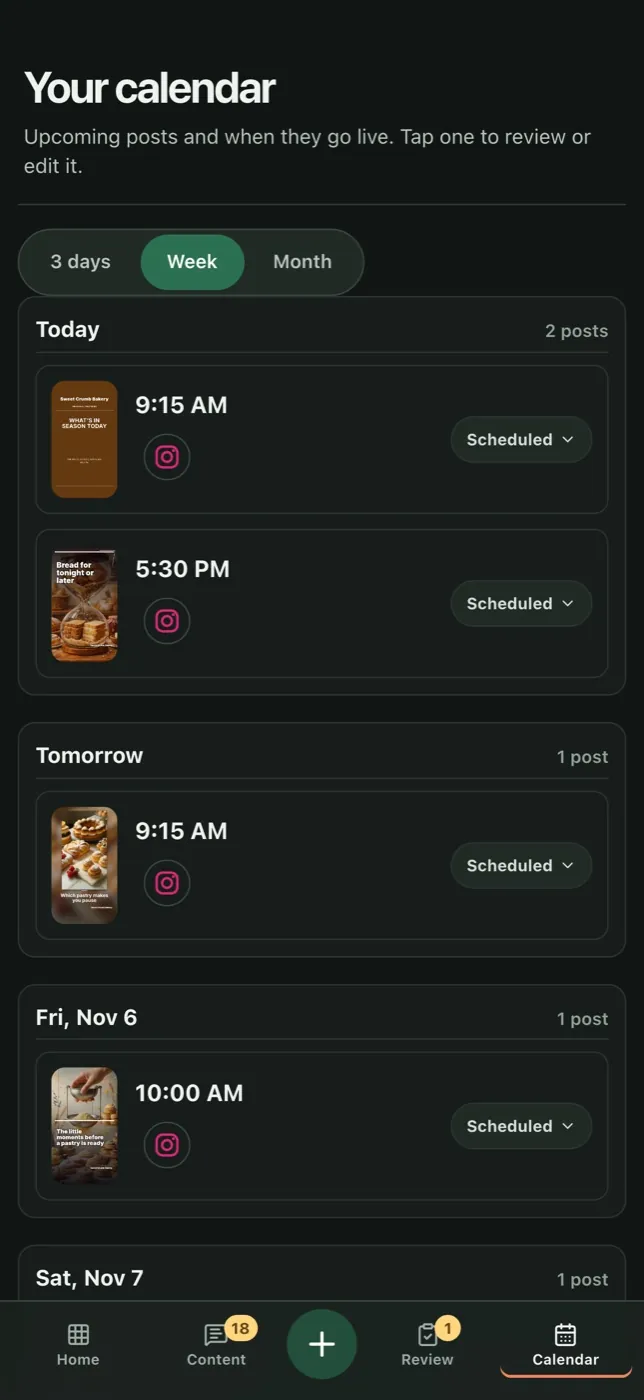
See what goes out and when. Tap any post to look again or change it.
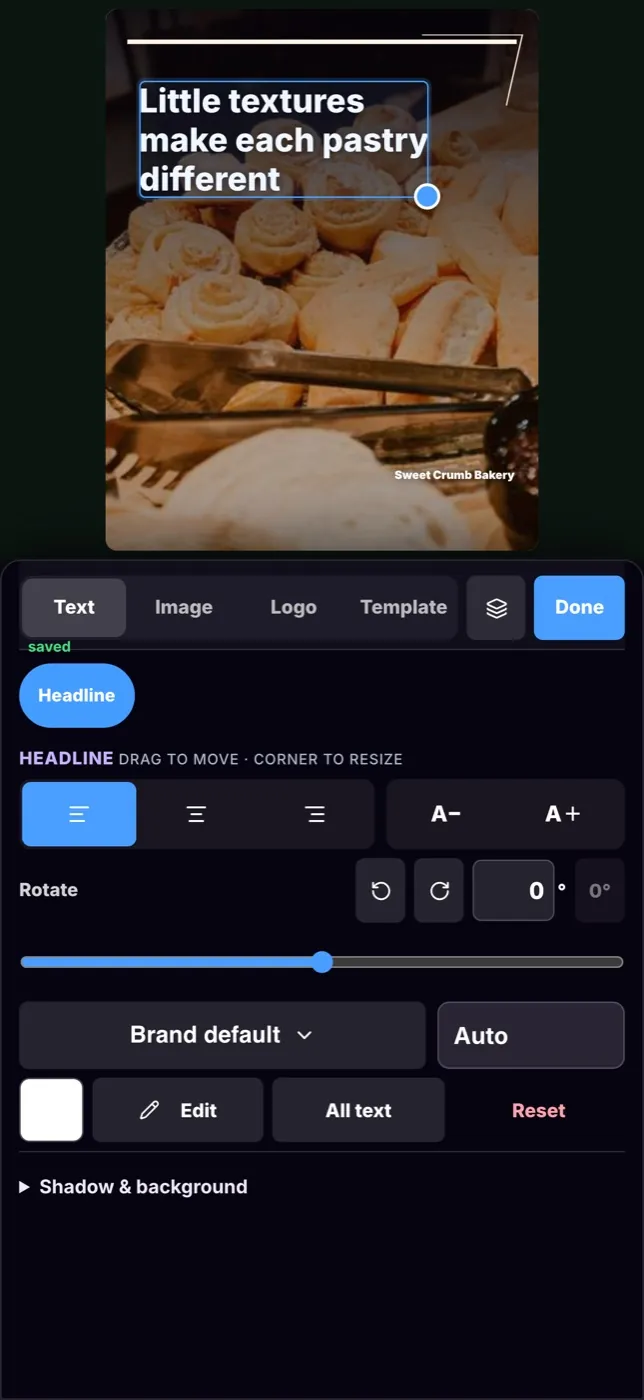
Drag the headline, resize it, pick another of your photos. It stays your post.
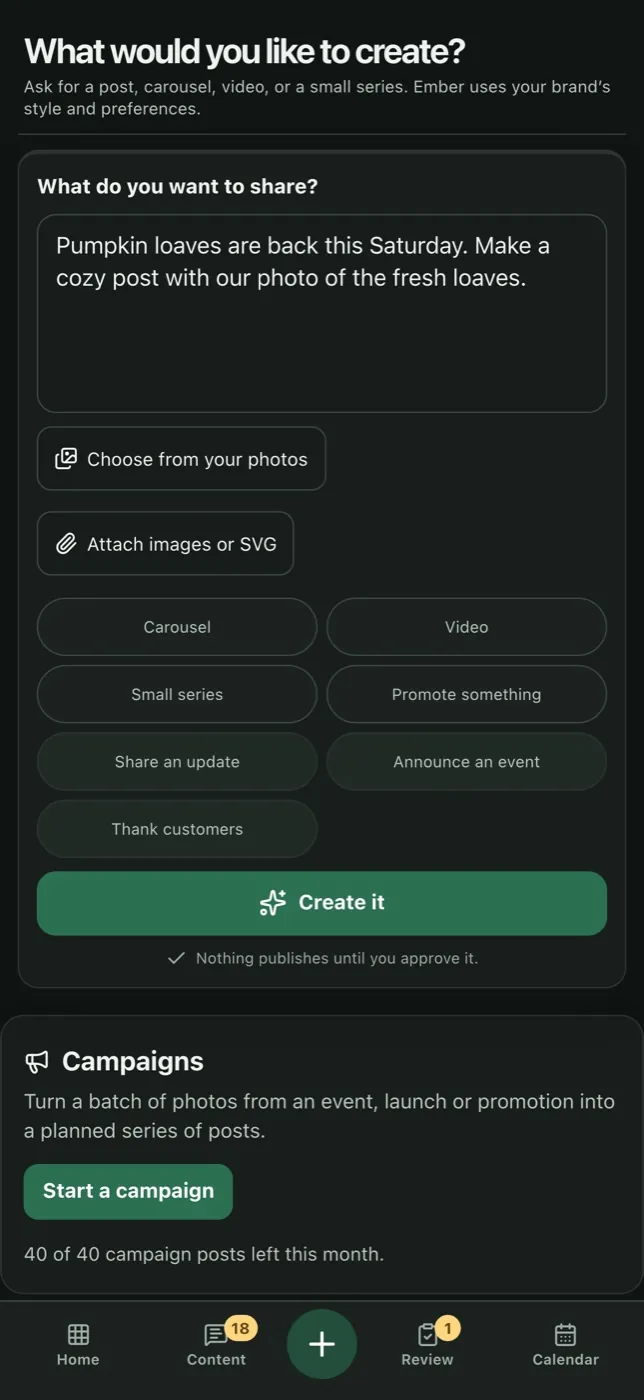
Type what you want to share, choose your photo, and Ember makes the post.
Shown with Sweet Crumb Bakery, our fictional demo bakery.
How Ember works · One ordinary Tuesday
Six moments, all on Dana’s phone. Switch the business and the day changes with it.
Dana and Juniper Coffee are fictional, made up to show how Ember works. The app is real.
7:10 amBehind the counter
The first Reserve pour-over of the morning looks too good to waste. Dana takes one photo between orders and adds it in Ember with a line about Saturday. That’s the whole brief.
7:11 amA minute later
Before Dana pulls the next shot, Ember looks at the photo, picks a layout that suits it, and sets it in Juniper’s colors, fonts, and logo. The caption sounds like Dana on a good day. A feed post and a Story are waiting for her.
12:15 pmLunch lull
Dana flips through what Ember has ready. Approve this one, change a word in that one, send one back. Nothing goes out until she says so.
3:00 pmAfternoon slump
Ember isn’t sure how long the Reserve pours on Saturday, so it asks right on the home screen. Dana answers in one line, and Ember remembers it for every post after.
5:45 pmClosing up
Ember drafts an answer in Juniper’s voice and waits for Dana. She reads it, taps send, and gets back to stacking chairs. Anything prickly gets flagged for her instead.
9:00 pmFeet up
Every approved post has a day and a time. Tomorrow she might add another photo, or she might not. Ember will still have posts ready from the photos she’s already shared.
On-brand posts from your own photos
Ember treats the image, design, headline, and caption as parts of the same story rather than four separate tasks stitched together at the end.
Text placement, crop, contrast, and composition respond to the actual photo.
Voice, audience, approved facts, and content priorities stay consistent from graphic to caption.
Feed and Story exports are reviewed for readability, brand fit, and coherence between image and copy.
The feed stays visually fresh without drifting away from the brand system.
Scheduling and publishing
One approval releases the connected image, caption, and formats into the calm calendar Ember keeps organized. You keep the final say without keeping social open all day.
Content from your website and files
A new offer, fresh photos, an updated website, or a strong past post can begin the next content wave. Useful material does not disappear into a folder.
Comments and messages in one inbox
Comments and mentions land in one inbox. Ember sorts them as they arrive, drafts replies in your brand’s voice, and brings the ones that need a person straight to you.
Customer photos, with permission
Ember helps you feature them the right way. It finds the shots worth asking about, asks the creator for permission, credits them, and keeps community posts a small, steady part of your feed.
Customers send photos through your share link or post them in your Discord server, or you paste a link to a post they made about you. Ember scores each photo for quality and brand fit before anyone is asked.
The creator reviews the request and signs off. Nothing is saved or posted until they say yes.
Posts name the person behind the photo, so your community sees itself in your feed.
If a creator withdraws, Ember removes the post automatically where the platform allows it and tells you about anything to delete by hand.
Included with Growth and Pro. Always optional, and your own photos always lead.
Ember compared with a social media scheduler
Social media for small businesses, agencies and multi-location brands
Stay visible through busy weeks without adding another daily job.
Turn finished work and behind-the-scenes moments into a steady presence.
Lock one brand kit at HQ while every location posts its own local life.
Run every client brand, approval, and result from one calm system.
Ember Social pricing
Every plan starts with a free 14-day trial, no credit card required. Every plan includes brand-guided content creation, a review queue, and clear usage controls. Higher tiers add more channels and more of the ongoing workflow.
For a focused brand that wants a dependable content rhythm.
$25 monthly creation allowance + 5 GB media storage
For a team keeping several channels active every week.
$75 monthly creation allowance + 20 GB media storage
For teams ready to move most of the ongoing workflow off their plate.
$100 creation allowance + $100 Ember ad credit + 50 GB media storage
Your subscription covers the Ember workspace and includes the monthly creation and media-storage allowances shown above. Metered usage is prepaid, visible, and protected by limits you control. Extra media storage uses Ember credits at $0.10/GB-month, accrued daily. Pro’s Ember ad credit covers Ember’s 10% ad management fee and billboard bookings; Meta, TikTok, and other platforms bill ad spend to your own payment method.
Running many brands or locations? See Agency and Enterprise plans, or request a quote for an operator network.
White-label social media management for agencies and franchises
Run every client brand or every location from one HQ. Each workspace keeps its own photos, channels, and local voice, while your team sets the standard, steps in when needed, and sees results across all of them.
Or email sales@embersocial.io
For agencies and resellers running social for many independent brands.
Includes 10 client brands, then +$129/month per extra client
Or email sales@embersocial.io
For franchises and multi-location brands: one brand everywhere, local life in every post.
Or email sales@embersocial.io
Billing. Agency and Enterprise are billed centrally: HQ pays one invoice that covers its clients or locations. In a contractor or operator network, each operator pays for their own plan. Social channels always belong to the client or location. White-label covers emails and in-app branding.
Questions, answered
Still wondering about your workflow? Talk it through with us.
Ember Social is a social media manager for small businesses, agencies and multi-location brands, made by Veil Hunts LLC. You add photos from your day, and Ember turns them into finished posts in your brand’s colors, fonts, and voice. You approve each post on your phone, and Ember schedules and publishes it to the channels you connect.
Yes. Every new business gets 14 days of Ember free, and no credit card is required to start. Ember builds your first library of posts from your own photos and brand so you can see real results. When the trial ends, pick a plan to keep going. Nothing is charged unless you choose one.
Starter is $99 a month, Growth is $249 a month and Pro is $499 a month. Every plan starts with a free 14-day trial, and no credit card is needed to start. For many brands or locations, the Agency plan is $1,499 a month and Enterprise starts at $2,500 a month.
Ember publishes to Instagram, Facebook, TikTok, YouTube, Bluesky, X, Pinterest and LinkedIn. Threads is coming soon. YouTube is for video. Your plan sets how many channels you can connect: 2 on Starter, 4 on Growth and 8 on Pro.
Yes. Ember Social is on the App Store for iPhone, listed as “Ember Social for Business”, and on Google Play for Android. Both apps are free to download. You create your account on the web first, then sign in to the app.
Not unless you deliberately choose that workflow. Ember is approval-first by default: review the complete post, edit anything you want, then approve and schedule it. Automated publishing can be enabled on supported connected channels when your team is ready.
From the sources you connect: your website, existing social accounts, brand files, community spaces, and photos you and your team add in the Ember app. Ember helps turn real business activity into useful content instead of inventing a disconnected content calendar.
Yes. Ember builds your posts from the photos you add. When you’re short on photos, it can also make designed graphics with words. By default nothing is published until you approve it, so you see every image before it goes out.
That is the point. Your voice, audience, approved facts, colors, fonts, and logo are shared across the visual and written parts of every post. The photo is read before a layout is chosen, and the caption is written from the same brand context.
A scheduler usually gives you a place to put finished content. Ember helps bring the finished content back to you: sourced from your business, assembled in your brand, fitted to each connected channel, and organized into one review queue.
On every plan, comments and mentions from connected channels arrive in one inbox, and Ember flags complaints and sensitive ones for a person. Direct messages are not part of the inbox yet. On Starter you reply in your own words. On Growth and Pro, Ember also drafts replies in your brand voice for you to approve, and automatic likes and simple replies are optional, off until you turn them on, and capped each day.
Yes, with their permission. On Growth and Pro: customers send photos through your share link or post them in your Discord server, or you paste a link to a post they made about you. Ember scores each photo before anyone is asked, and the creator approves and signs before anything is saved or posted. Posts credit the creator. If they change their mind, Ember removes the post automatically where the platform allows it and tells you which posts to delete by hand. Community posts stay a small part of your feed, so your own content always leads.
Each paid plan includes a monthly creation allowance. Usage is prepaid, visible in your dashboard, and protected by a hard spending limit you control. Ember uses a mix of design rules, local analysis, and automation behind the scenes, and reserves paid work before it runs so the ceiling stays real.
The guided setup connects your first sources, captures the brand, and begins building an initial library for review. Timing depends on the amount and quality of material you connect, and progress stays visible while the run completes.
Yes. You can cancel at any time from Billing in your Ember settings. Your plan stays active until the end of the period you have already paid for, and you are not charged again. Payments already made are not refunded. During the free trial there is nothing to cancel: no card is on file, and nothing is charged unless you choose a plan.
Yes. The Agency plan is $1,499/month including 10 client brands, then $129/month for each extra client. Every client keeps its own brand and channels, your staff can step into any client workspace, and emails and the in-app experience carry your agency's name and logo. The HQ dashboard shows results and setup health across every client.
HQ locks the brand kit (colors, fonts, logo, and design style) and every location still posts its own local content from its own photos, team, and details. HQ can drop a campaign once and let each location's Ember make a localized version, push one post to every location for special occasions, and remove any post. Enterprise starts at $2,500/month for up to 20 locations. Running a contractor or operator network instead? Ask us for a quote.
Agency and Enterprise plans are billed centrally: HQ pays one invoice that covers its clients or locations. In a contractor or operator network, each operator pays for their own plan; contact us for network pricing.
Your business has plenty to say
See how your existing brand material can become a social queue that feels consistent, current, and unmistakably yours.
14 days free. No credit card required.
sam.walks.early Is the Reserve good with oat milk? Asking for me.